20W Portable Bluetooth Karaoke Speaker + 2 Wireless Mics
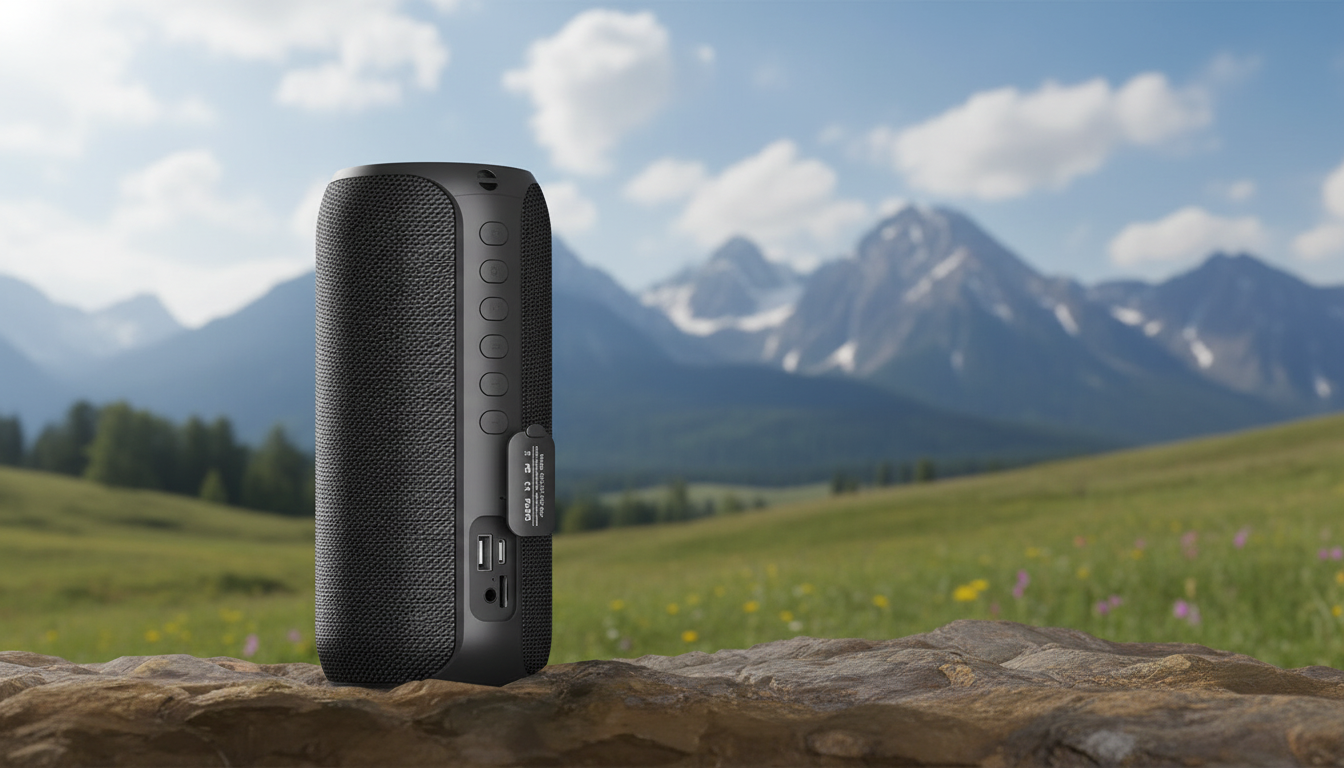
Portable Bluetooth Karaoke Speaker with Wireless Microphones & 20W Stereo Sound
Turn any room into a sing-along space with a compact karaoke speaker that pairs quickly over Bluetooth, fills the area with 20W stereo sound, and includes wireless microphones for easy duets. This guide breaks down what to expect from everyday setup, sound, and portability—plus a few practical tips to get cleaner vocals and smoother parties.
What This Karaoke Speaker Is Built For
A portable karaoke speaker is made for the moments when a full-size system feels like too much: quick weeknight sing-offs, casual birthday parties, dorm hangouts, and backyard get-togethers. With an all-in-one design, you can stream music, hand off microphones, and keep the energy going without setting up stands, routing cables, or dialing in a complex mixer.
- Quick, low-effort karaoke sessions at home, at small gatherings, or outdoors where a full-size system is overkill
- Wireless microphone freedom for moving around, handing off to friends, and casual duets
- Stereo playback for fuller music separation than single-driver portable speakers
- A simple all-in-one option for families, dorm rooms, game nights, and birthday parties
If you want a straightforward option that gets from “power on” to “first chorus” fast, the Portable Bluetooth Karaoke Speaker with Wireless Microphones & 20W Stereo Sound is designed around that exact use case.
Sound and Vocal Clarity: What 20W Stereo Feels Like
In real-world terms, 20W stereo output is a sweet spot for small-to-mid rooms: enough headroom for a group to sing along without the music collapsing into distortion at moderate party volumes. Stereo playback also helps karaoke tracks feel more open—background vocals, claps, and instruments can land with more separation than many single-speaker setups.
- 20W stereo output is suited to small-to-mid rooms, delivering enough volume for group singing without needing external amps
- Stereo sound can make backing tracks feel wider and more engaging, especially with pop, karaoke instrumentals, and live recordings
- For clearer vocals, keep the speaker slightly in front of the singers to reduce the chance of mic pickup and harsh reflections
- If vocals sound muddy, lower bass-heavy EQ on the music source and raise mic volume gradually rather than maxing it immediately
A practical placement tip: aim the speaker toward the audience, not the singers. When the speaker is behind the vocalist, microphones are more likely to “hear” the speaker and trigger harsh squeals. Keeping the speaker a few feet in front of the performance spot usually makes the biggest difference.
For general hearing safety at parties, it’s also smart to keep sustained volume reasonable and take short breaks between sets. The CDC’s guidance on noise exposure is a helpful reference for understanding what volumes can become risky over time: Safe listening guidance.
Wireless Microphones: Duets, Hand-offs, and Practical Range
Wireless microphones change the vibe immediately: people can step forward, trade lines, or sing from the couch without draping cords across a room. For parties, that ease is often the difference between “one brave singer” and a full rotation of guests.
- Wireless mics make it easy to pass a mic around without cable tangles or stand setups
- For the most stable performance, keep a clear line of sight between microphones and the speaker and avoid placing the speaker behind thick furniture
- Reduce feedback risk by not pointing the microphone directly at the speaker grille and by keeping a comfortable distance
- A simple duet workflow: set both mic volumes lower first, start the track, then raise mic levels until vocals sit above the music
Bluetooth Pairing and Playback Options
If you’re curious about how Bluetooth standards and versions are defined at a high level, the official overview is here: Bluetooth Core Specification (overview). In everyday use, the best “stability hack” is simple: keep the streaming device nearby and avoid stacking it directly on top of other wireless gear.
Portability and Party Setup Tips
For longer sessions away from an outlet—camp sites, parks, tailgates—pairing a compact karaoke setup with extra power can keep the night moving. If you already bring charging gear to events, the 200000mAh High-Capacity Power Bank with 120W Super Fast Charging can be a handy companion for keeping phones and other devices topped off between songs.
Quick Comparison: When This Style Beats Other Karaoke Options
| Option | Setup time | Best for | Trade-offs |
|---|---|---|---|
| Portable karaoke speaker with wireless mics | Fast | Home parties, families, small gatherings | Not aimed at large venues |
| Phone/tablet only | Fastest | Solo practice, quiet spaces | Low volume, weak mic experience |
| TV soundbar + separate mics/mixer | Medium | Living-room karaoke with bigger audio | More gear and tuning required |
| PA speaker + wired mics | Longest | Louder events and bigger spaces | Bulky, more cables, more setup |
Everyday Care: Keeping the Speaker and Mics Working Smoothly
FAQ
Can two people sing at the same time with the wireless microphones?
Yes—this style of karaoke setup is designed for simultaneous use, so two singers can perform together. Start both mic volumes lower, play the track, then raise each mic until both voices sit clearly above the music without pointing either mic at the speaker.
Will it work with a phone for YouTube karaoke tracks?
Yes, connect by Bluetooth: turn on the speaker, enable Bluetooth on your phone, select the speaker in your device list, then start your YouTube karaoke video. For stable playback, keep the phone in the same room and avoid placing it far behind walls or large furniture.
How can feedback squeal be reduced during karaoke?
Put the speaker in front of the singers, keep a few feet of distance, and avoid aiming the microphone at the speaker grille. If squealing starts, lower mic volume first, then reposition the speaker and only increase levels gradually.






Leave a comment