AI for Relaxation: Micro-Breaks, Wind-Downs, Boundaries
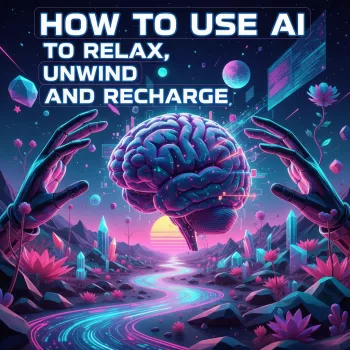
How AI Can Support Relaxation (Without Becoming More Noise)
AI can support calmer days when it’s used as a gentle assistant rather than another source of stimulation. Think of it as a small “planning and coaching layer” that reduces decision fatigue: quick check-ins, short routines, and reminders that help the body and mind downshift on purpose. The goal isn’t to optimize every minute—it’s to create repeatable, low-pressure moments of reset that fit real schedules.
Used well, AI can help you build micro-breaks (2–10 minutes), smoother evening transitions, and mindful routines you can reuse. Used poorly, it can become another tab to check. The difference comes down to boundaries, privacy, and choosing a few simple rituals you’ll actually do.
What “AI for relaxation” looks like in everyday life
- Use AI as a planning and coaching layer: Ask for short routines, time-boxed check-ins, or a single “next best step” when you’re overloaded.
- Create small reset moments (2–10 minutes): Instead of waiting for a perfect long break, build tiny pauses between tasks.
- Support better environments: Request soundscape ideas, reading lists, journaling starters, and bedtime transitions that reduce friction.
- Keep expectations realistic: AI can guide habits and structure, but it doesn’t replace medical care or therapy.
For a clear, step-by-step structure you can revisit, How to Use AI to Relax, Unwind, and Recharge — A Practical eBook Guide for Calm, Balance, and Mindful Living | Digital Download | How to Use AI for Relaxation is designed around repeatable scripts for busy days, overstimulation, and hard transitions out of work mode.
Set the foundation: boundaries, privacy, and a low-friction setup
- Choose one place to start: Pick phone, tablet, or laptop—one main device—so you’re not app-hopping or chasing notifications.
- Create a “calm mode” rule set: Silence nonessential alerts, schedule a daily quiet window, and reduce late-night screen brightness.
- Protect sensitive details: Avoid sharing identifying information (full name, address), medical records, or private third-party details. Keep scenarios general and anonymized.
- Use short, clear requests: Save favorite routines as templates so the same calming flow is always one tap away.
If you want a self-discovery approach that stays gentle, Emotions Decoded: Using AI to Understand Your Emotional Patterns | Digital Self-Discovery Guide | Learn How to Use AI to Analyze Your Emotional Patterns can help you notice patterns (timing, triggers, and what reliably soothes) without turning the process into a harsh performance review.
Quick reset routines: 2, 5, and 10-minute options
Short breaks work best when they’re specific and time-boxed. Ask AI for a script that fits the exact time you have, then run it the same way each time. Tie your reset to a trigger—after meetings, before meals, after school pickup, or at the end of a work block—so you don’t have to “remember” to relax.
2-minute reset: downshift fast
- Guided box breathing (4–4–4–4) with a simple timer
- Shoulder release + jaw unclench cue
- Quick grounding: 5-4-3-2-1 senses check
5-minute reset: clear mental clutter
10-minute reset: recharge focus
| Time | Goal | AI-assisted activity | Best moment to use it |
|---|---|---|---|
| 2 minutes | Downshift stress | Breathing timer + short grounding script | Between tasks or after a tense message |
| 5 minutes | Clear the mind | Guided brain dump + next-best-step suggestion | Midday slump or decision fatigue |
| 10 minutes | Recharge focus | Gentle stretch flow + calming audio recommendation | Before returning to deep work |
Evening unwind: turning AI into a smoother off-ramp from the day
- Ask for a personalized wind-down sequence: lights down, water/tea, a 3-minute tidy, shower, and a one-sentence reflection.
- Replace scrolling with structured decompression: request reading excerpt ideas, journaling prompts, or calming music suggestions.
- Create a “tomorrow parking lot” note: offload tasks into a short list and schedule them, so you’re not rehearsing them in bed.
- If sleep is a concern: prioritize screen limits and use audio-only options when possible. The CDC’s sleep resources are a helpful baseline for healthy sleep habits: CDC — Sleep and Sleep Disorders.
For audio-based relaxation (soundscapes, bedtime playlists, guided breathing), having a dedicated pair of earbuds can make it easier to stay off the screen while still following a routine. If you prefer that setup, consider Wireless Gaming Earbuds with 4 Mics, ENC Noise Canceling & 26H Playtime as an option for private listening during breaks and wind-down time.
Mindful living with AI: gentle habit-building without perfection
Stress isn’t only “in your head”—it affects the body. For a clear overview of how stress shows up physically and why recovery matters, see American Psychological Association — Stress effects on the body.
When to pause and get human support
For general mental wellness guidance and practical starting points, the National Institute of Mental Health offers a solid overview here: National Institute of Mental Health — Caring for Your Mental Health.
A practical digital guide to make the routines easier to follow
FAQ
Can AI actually help with relaxation, or does it add more screen time?
AI can reduce cognitive load when it’s used briefly and intentionally, like a 2–5 minute guided reset or an audio-first wind-down. Clear boundaries—short sessions, fewer notifications, and no late-night scrolling—keep it from becoming extra noise.
What should not be shared with AI when using it for stress or mood support?
Avoid sharing identifying information, medical records, or private details about other people. Use general, anonymized descriptions so you can still get useful structure and ideas without exposing sensitive data.
How can a beginner start using AI for calm routines without getting overwhelmed?
Start with one simple routine (2–5 minutes), attach it to one daily trigger, and save it as a reusable template. After it feels automatic, add one small evening wind-down step rather than changing everything at once.





Leave a comment